 101831d1b7
commit 9b82374a47906be38eb50f6ee5cc429fc4de4a4c (HEAD -> main, origin/main, origin/HEAD)
Author: Vincent Li <vincent.mc.li@gmail.com>
Date:   Sat Nov 1 09:03:11 2025 -0700

    tc-basic-classifier: add source ip address classification

    For ingress shaping based on local network source address, according to [0] [1], iptables firewallrule mark is used to mark the packet originated from the local network source ip, but with eBPF tc, we can do the eBPF TC classification on the ifb0 interface to eliminate use of iptables, this improves programability and flexibility. so change the tc bpf program to do both destination and source ip classification, the setup is like:

    modprobe ifb numifbs=1
    modprobe sch_fq_codel
    modprobe act_mirred
    modprobe act_connmark

    ip link set ifb0 up

    tc qdisc add dev green0 ingress handle ffff:

    tc filter add dev green0 parent ffff: protocol ip u32 match u32 0 0 action connmark action mirred egress redirect dev ifb0 flowid ffff:1

    ./class_filter -a -b ./class_filter.bpf.o -i ifb0 -v

    Setting up TC qdisc and classes...
    Setting up TC qdisc and classes on ifb0
    Executing: tc qdisc del dev ifb0 root 2>/dev/null
    Command failed but ignoring (may be normal): tc qdisc del dev ifb0 root 2>/dev/null
    Executing: tc qdisc add dev ifb0 root handle 1:0 htb default 30
    Executing: tc class add dev ifb0 parent 1:0 classid 1:1 htb rate 100mbit
    Warning: sch_htb: quantum of class 10001 is big. Consider r2q change.
    Executing: tc class add dev ifb0 parent 1:1 classid 1:30 htb rate 5mbit ceil 20mbit
    Successfully setup TC qdisc and classes on ifb0

    TC qdisc configuration:
    Executing: tc qdisc show dev ifb0
    qdisc htb 1: root refcnt 2 r2q 10 default 0x30 direct_packets_stat 2 direct_qlen 32

    TC classes configuration:
    Executing: tc class show dev ifb0
    class htb 1:1 root rate 100Mbit ceil 100Mbit burst 1600b cburst 1600b
    class htb 1:30 parent 1:1 prio 0 rate 5Mbit ceil 20Mbit burst 1600b cburst 1600b
    Executing: tc filter del dev ifb0 protocol ip parent 1:0 2>/dev/null
    Command failed but ignoring (may be normal): tc filter del dev ifb0 protocol ip parent 1:0 2>/dev/null
    Executing: tc filter add dev ifb0 protocol ip parent 1:0 bpf obj ./class_filter.bpf.o classid 1: direct-action
    Successfully attached BPF program to ifb0 egress (parent 1:0)
    BPF maps automatically pinned to /sys/fs/bpf/tc/globals/
    Verification:
    Executing: tc filter show dev ifb0 parent 1:0
    filter protocol ip pref 49152 bpf chain 0
    filter protocol ip pref 49152 bpf chain 0 handle 0x1 flowid 1: class_filter.bpf.o:[classifier] direct-action not_in_hw id 93 name cls_filter tag 7163f8c072cf7015 jited
    Pinned maps:
    Executing: ls -la /sys/fs/bpf/tc/globals/ 2>/dev/null || echo 'No pinned maps found'
    total 0
    drwx------ 2 root root 0 Nov  1 09:01 .
    drwx------ 3 root root 0 Nov  1 08:01 ..
    -rw------- 1 root root 0 Nov  1 09:01 cls_filter_ip_trie_map
    -rw------- 1 root root 0 Nov  1 09:01 cls_filter_port_map

    BPF program loaded and attached successfully to ifb0 egress
    Default class configured: 1:30 (rate: 5mbit, ceil: 20mbit)

    Use --add-port to create additional classes with rates (supports single ports and ranges).

    ./class_filter -i ifb0 -r 192.168.9.13/32:40:80mbit

    Added TC class: 1:40 (rate: 5mbit, ceil: 80mbit)
    Added IP mapping: 192.168.9.13/32 -> 1:40 (rate: 80mbit)

    ./class_filter -m

    IP Range Mappings:
    CIDR            -> TC_CLASS  (BPF_VALUE)
    ----------------------------------------
    192.168.9.13/32 -> 1:40     (0x40)
    Total: 1 IP range mappings

    tc -g class show dev ifb0

    +---(1:1) htb rate 100Mbit ceil 100Mbit burst 1600b cburst 1600b
         +---(1:40) htb prio 0 rate 5Mbit ceil 80Mbit burst 1600b cburst 1600b
         +---(1:30) htb prio 0 rate 5Mbit ceil 20Mbit burst 1600b cburst 1600b

    on 192.168.9.13:

    root@vincent-iMac:~# iperf3 -t 4 -c 10.0.0.206 -p 8080
    Connecting to host 10.0.0.206, port 8080
    [  5] local 192.168.9.13 port 51072 connected to 10.0.0.206 port 8080
    [ ID] Interval           Transfer     Bitrate         Retr  Cwnd
    [  5]   0.00-1.00   sec  9.63 MBytes  80.8 Mbits/sec    5    119 KBytes
    [  5]   1.00-2.00   sec  9.26 MBytes  77.7 Mbits/sec    7   86.3 KBytes
    [  5]   2.00-3.00   sec  9.20 MBytes  77.1 Mbits/sec    7    116 KBytes
    [  5]   3.00-4.00   sec  8.82 MBytes  74.0 Mbits/sec    2    102 KBytes
    - - - - - - - - - - - - - - - - - - - - - - - - -
    [ ID] Interval           Transfer     Bitrate         Retr
    [  5]   0.00-4.00   sec  36.9 MBytes  77.4 Mbits/sec   21             sender
    [  5]   0.00-4.05   sec  36.5 MBytes  75.6 Mbits/sec                  receiver

    [0]: https://std.rocks/gnulinux_network_traffic_control.html
    [1]: https://wiki.archlinux.org/title/Advanced_traffic_control#Shape_ingress_traffic_on_SNAT

    Signed-off-by: Vincent Li <vincent.mc.li@gmail.com>

Signed-off-by: Vincent Li <vincent.mc.li@gmail.com>
BPFire - eBPF Network Firewall OS (eBPF 网络防火墙)
What is BPFire?
BPFire is fork of IPFire 2.x, a hardened, versatile, state-of-the-art Open Source firewall based on Linux. BPFire is to enable revolutionary eBPF technology for non-tech savvy users, make eBPF technology consumable to home users or any size of organizations to secure their network environment. Current supported eBPF network application features:
BPFire 基于IPFire 2.x, 一个基于Linux的安全坚固、多功能、先进的开源防火墙. BPFire 为普罗大众带来革命创新性的eBPF技术,为家庭用户或任何大小组织企业的网络安全保驾护航. 当前支持的eBPF应用包括:
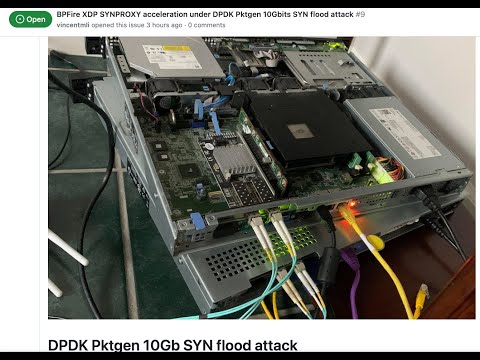
- XDP DDoS protection, See XDP SYNPROXY stops 10G DDoS SYN flood here
- XDP UDP DDoS online game protection
- XDP DNS domain blocklist, ratelimit protection
- XDP SSL/TLS server name indicator (SNI) blocklist
- XDP GeoIP/Country blocklist
- XDP multi attachment and capture mode for Intrusion Detection System Suricata in IPS mode
- eBPF based LoxiLB load balancer, Firewall, Proxy, see full features LoxiLB
Where can I get support?
Open github issue or discord
Where can I get BPFire installation ISO or LoongFire flash image?
中国大陆用户下载地址:
Other download site:
What computer hardwares BPFire support?
BPFire support commodity computer hardware, small or large, old or new, cheap or expensive.
for example:
How do I install BPFire?
flash the ISO to USB on Linux machine, /dev/sdc is your USB thrumb drive.
dd if=bpfire-2.29-core184-x86_64.iso of=/dev/sdc status=progress
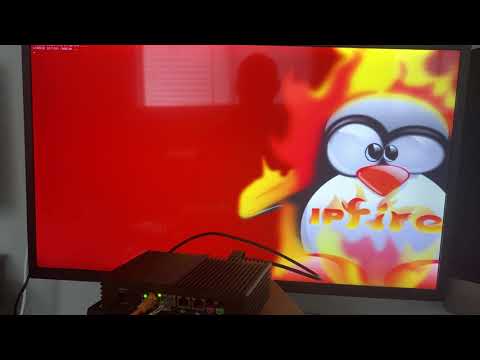
BPFire installation on mini industrial PC:
BPFire SYNPROXY throughput with and without XDP acceleration under 10Gbit DDoS SYN flood:
BPFire WebUI screenshot:
English:


Chinese:


Does BPFire run in hypervisor virtual environment?
Yes, We have tested in Linux KVM hypervisor, Proxmox, Microsoft Hyper-v, should support Virtualbox, VMware as well.
Microsoft Hyper-v screen shot:


How to build BPFire?
Build Environment Setup https://www.ipfire.org/docs/devel/ipfire-2-x/build-initial
(It takes a few hours to build image for first build depending on build machine power)
for example on Ubuntu 22.04 LTS:
apt install git-core g++ manpages-pl patch byacc make autoconf automake libltdl-dev

git clone https://github.com/vincentmli/bpfire.git

cd bpfire

wget --mirror --convert-links --adjust-extension --page-requisites --no-parent --cut-dirs=2 -nH --reject "index.html*" --reject "*.gif" https://www.bpfire.net/download/bpfire/cache/

./make.sh build
How do I support BPFire development?
Join or Donate to BPFire paypal